
What to play
Sea of Thieves on Android: Launching, Controls and Crew Preparation
Stream Sea of Thieves from Xbox to Android or launch a cloud version available to your account. Start by checking the ship, controls and communication in Safer Seas.
On this page
Sea of Thieves on your phone lets you continue sailing with your crew: one person holds the course, another works the sails, and a third handles the map and repairs. To get started, choose a destination on the map, reach the island and finish the voyage at a convenient point. The Xbox version runs on a console through Remote Play or in the cloud if you have access; Android receives the stream and sends your inputs.
Launch the game before meeting your crew
- Prepare Xbox for Remote Play. Install and update Sea of Thieves, launch it under your profile and make sure you can enter the mode you want. The game is available on Xbox One and Xbox Series X|S. Playing together on a console requires console multiplayer access through a suitable Game Pass subscription; buying the game alone does not replace it.
- Connect from Android. Sign in to XBPlayer, choose your console and start Remote Play. Complete the initial setup using the first-session guide. Your phone streams the installed Xbox version; no game files need to be transferred to Android.
- If you use the cloud, check launching separately. The Xbox Store lists Sea of Thieves as a cloud game. Find it in your account's cloud library and make sure it can launch with your plan and in your region. This method does not need your own Xbox. Service terms are covered in the streaming access article.
There is an exception for solo practice: owners of a purchased copy of Sea of Thieves can play Safer Seas alone without a console multiplayer subscription. Internet access is still required. This exception does not provide free Xbox Cloud Gaming access or extend to sailing together.
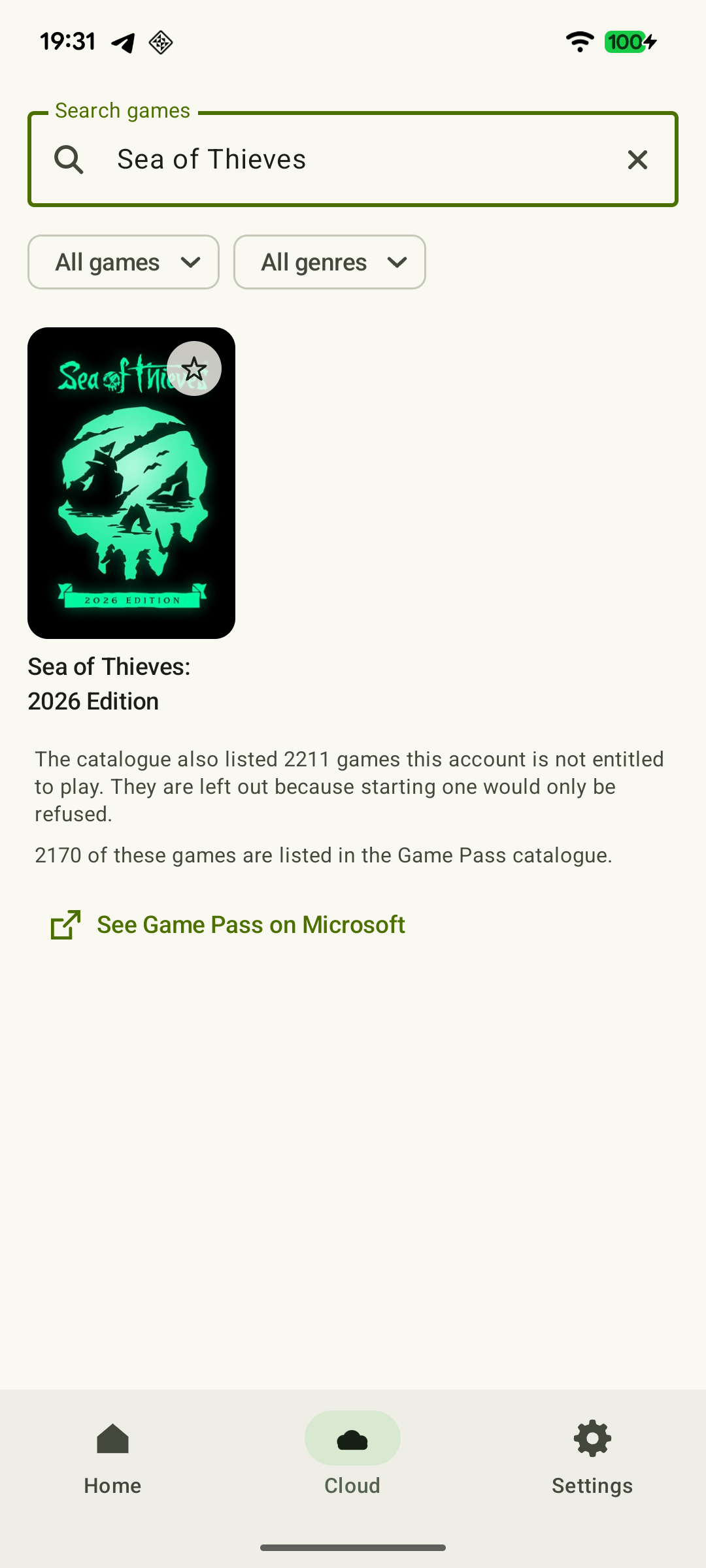 Enlarge screenshot
If the game will not launch directly on Xbox, first resolve updates, the selected profile and game access. Stream-quality settings will not fix that problem.
Learn the ship in Safer Seas
Choose Safer Seas to try the controls: you can sail alone or with your own crew without other player crews. World hazards remain, so this is not a pause or invulnerability mode. High Seas adds other crews. For a first phone check, Safer Seas lets you focus on actions rather than looking for opponents.
At the dock, take a short route around the ship. Use the on-screen interaction prompts, which match your current button assignments.
- Wheel and sails. Take the wheel, turn it and let go. Then change a sail's length and angle and restore its previous position. Make sure you can quickly leave the interaction and look around.
- Cannon. Take a cannonball, load a cannon, aim in a safe direction and fire a practice shot. Check not only aiming but also returning to movement on deck.
- Repairs. Find planks and a bucket, then select them through the item menu. When a hole appears, a plank repairs the damage and a bucket removes the remaining water. Do not deliberately damage the ship for this check.
- Map. Find a nearby island on the ship's map, remember its direction and compare it with the compass and the view from the deck.
Even if you have agreed to stay mostly on a cannon, learn the other actions: the crew may need you to cover another role. Agree on crew size and how friends will connect using the co-op guide.
Make radial menus and held inputs easier
A physical controller keeps your fingers off the screen and lets you use sticks and buttons together. If you use XBPlayer's on-screen buttons, position them so the open item menu stays visible. Select the bucket, a plank and food several times: the correct item should end up in your hands each time.
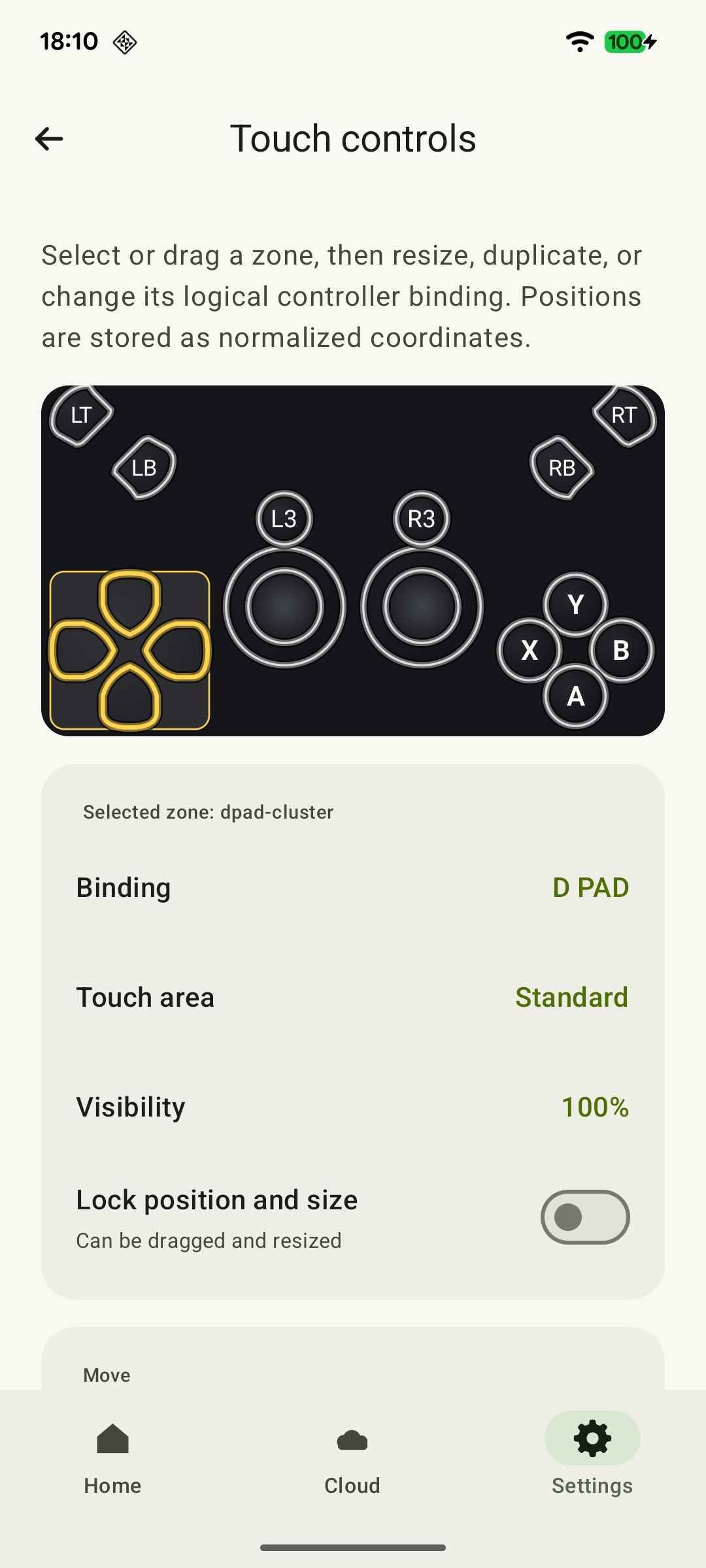 Enlarge screenshot
If holding a menu button while choosing a tool is difficult, check Sea of Thieves' own accessibility settings:
| Setting | How it helps |
|---|---|
| Toggle Radial Menus | Opens and closes a menu with separate presses, without continuously holding the button. |
| Sticky Radial Items | Keeps an item highlighted when you release the stick before closing the menu. |
| Single-press interactions | Replaces a held input with one press for supported interactions. The action still takes time; when repairing, you need to stay near the damage. |
Change one setting at a time and repeat the check at the dock. These are game settings; on-screen button sizes and positions are changed separately in XBPlayer. Do not try to compensate for an awkward layout by raising camera sensitivity.
Check the horizon, map and voice communication
Look at a distant island and labels on the ship's map from your usual phone-holding distance. If fine details are indistinguishable, try a larger screen or let a crewmate handle navigation. Enlarging on-screen buttons does not by itself enlarge map labels.
Agree on where the crew will communicate. For an Xbox party through Remote Play, enable XBPlayer's microphone using the Party Chat guide. Sea of Thieves' built-in voice chat and Discord use separate settings.
Before setting sail, exchange messages in your chosen voice channel so everyone can report a threat, a hole or a course change. Assign the wheel, sails and repairs: clear roles help even a small crew work together.
Finish the voyage before disconnecting the stream
Saved character progress and the current server session are different things. Closing XBPlayer does not pause the sea or act as a save command. Leave time in advance to return, turn in loot and hand over duties to those who will keep playing. Story-based Tall Tales have checkpoints: wait for one to save before leaving if you want to continue the story later.
After a connection problem, first identify what disconnected. If only the Remote Play picture disappeared, reconnect to your console and check the game state. If Sea of Thieves itself left the server session, use the offer to rejoin the previous session when it appears. The ship is not protected from events in the world while you are away. According to Rare support, this recovery is not offered after deliberately quitting or being disconnected for inactivity.
Give your first phone voyage one small goal. Before playing on a trip, use the travel preparation checklist and tell your crew if the connection is still untested. You are ready to set sail when you can confidently select tools, read the map and tell crewmates about a problem.
Before leaving a shared voyage, let the crew know and finish the necessary steps with your loot: disconnecting the stream does not complete them for you.
Check before your first Android voyage
A brief summary of your first voyage. Detailed ship commands and menu settings are above; you can use the form below even if you have not completed every check.
Your chosen mode is open
For Remote Play, first check mode access on your Xbox; for the cloud, check launching under your account in the cloud catalog. Then open the game on Android. Solo Safer Seas does not establish access to sailing together.
Xbox Remote Play or Xbox Cloud Gaming: which should you use? →The right tool is selected on the first try
Take out the bucket, a plank and food in turn through the radial menu. If holding feels awkward, try Toggle Radial Menus or Sticky Radial Items in Sea of Thieves. You do not need to damage the ship for this check.
You can switch tasks on the ship
Take the wheel, let go, change a sail's position and restore it; try aiming a cannon in a safe direction. Check that you can leave interactions and turn the camera.
The map is readable at your usual distance
Find the nearest island on the ship's map, read its name and compare the direction with the compass. If labels are too small, try a larger screen.
Small Text in Xbox Games on Your Phone: What You Can Adjust →Your goal and finish fit within the session
Choose a small goal with time to return and turn in loot. If you only have time for setup, finish with dockside practice. For Tall Tales, aim for a saved checkpoint.
How to Prepare Xbox Games and Saves for a Trip →For a crew: two-way communication is checked
Ask a teammate to confirm they can hear you, check their reply and game audio, and agree on a goal, duties and when to leave.
Xbox Co-op Games on Android: How to Play with Friends →Safer Seas removes other player crews, not world hazards. Closing the stream does not pause the voyage.
Sources and further reading
- Sea of Thieves: 2026 Edition — Xbox Store — Xbox One and Series X|S versions, online co-op, cloud play and console multiplayer terms.
- Xbox Remote Play — Streaming installed games from your own Xbox One or Series X|S with remote features enabled.
- XBPlayer — Client Features — XBPlayer: Remote Play, Xbox Cloud Gaming, controller support and customizable on-screen controls.
- Safer Seas Mode Brings Single-Crew Servers to Sea of Thieves — Xbox Wire — Safer Seas: one crew without other players, with Sea of Thieves' world hazards and activities.
- Sea of Thieves — Release Notes 2.10.2 — Game owners can play solo Safer Seas without a console multiplayer subscription; connecting to game servers is still required.
- Accessibility in Sea of Thieves — Sea of Thieves accessibility settings, including radial-menu behavior and item selection.
- Pirate Academy — Getting Around — Contextual object interactions, freeing your hands and item-menu pages.
- Rejoining a Session — Sea of Thieves Support — Rejoining after an unintended disconnect, ship vulnerability and exceptions for quitting/inactivity. The ten-minute window in the older support page is not turned into a client guarantee.
- Sea of Thieves — Release Notes 2.0.15 — Tall Tales checkpoints.
Get the key points
Open a summary request with this article’s link. For Gemini, the request is copied — paste it into the chat.