
Genres
Xbox Shooters on Android: Campaigns, Co-op and PvP
Halo Infinite for practice and four-player co-op, Gears 5 for a three-player co-op campaign, DOOM Eternal for fast single-player combat and Warzone for battle royale.
On this page
For a story-driven shooter on Android, start with Gears 5 or the Halo Infinite campaign. For co-op, choose Gears 5 for three players or Halo Infinite for four. DOOM Eternal suits intense single-player combat, while Call of Duty: Warzone offers battle royale. If you want to learn aiming before buying a campaign, try Academy in Halo Infinite's free multiplayer component.
Which game fits what you want to play?
| Game | What to choose | What to check on your phone |
|---|---|---|
| Halo Infinite | Academy for learning; the campaign solo or with up to four online players; multiplayer for PvP | Tracking a target while moving and spotting distant opponents |
| Gears 5 | The campaign solo or with up to three players; Horde and Escape for co-op combat; Versus for PvP | Moving between cover, stepping into a firing line and reloading |
| DOOM Eternal | A single-player campaign; BATTLEMODE for one-versus-two PvP | Jumping, dashing and switching weapons without losing camera control |
| Call of Duty: Warzone | Battle Royale or Resurgence for PvP; squad sizes depend on the current playlists | Looking around, reading the map, looting and communicating with your squad |
Pick a mode that suits your preferred pace, then try aiming and combined inputs in training or a quiet section.
First, check how you will launch the game
With Remote Play, your phone receives the picture from your Xbox, where the game must be installed and available to your account. Halo Infinite, Gears 5 and DOOM Eternal were released on Xbox One and Xbox Series X|S. Warzone currently has separate Xbox One restrictions, covered below. Before your first session, launch the mode you want on the console itself, finish installing its components and updates, then connect from Android.
With Xbox Cloud Gaming, you do not need your own console. Find the specific game in the cloud catalog under your account and check whether you can launch it in your region. Buying the Xbox version or seeing a game in an old Game Pass roundup does not guarantee cloud access. A game being free to play online on a console does not mean cloud play is free either. If you cannot find the right listing, start by checking the console and cloud libraries.
XBPlayer on Android supports compatible controllers and on-screen buttons. Streaming retains the console interface: the crosshair, labels and menus do not automatically become mobile versions. A physical controller is a useful starting point for learning a shooter; for touch controls, use a layout that keeps the sticks, firing controls and extra actions accessible.
Halo Infinite: training, story and arena matches
Halo Infinite has free multiplayer and separate campaign access, so you do not have to buy the story component just to try the controls. In Academy, open Weapon Drills: try stationary targets first, then moving ones. Training Mode lets you practice against bots on multiplayer maps and change the training settings.
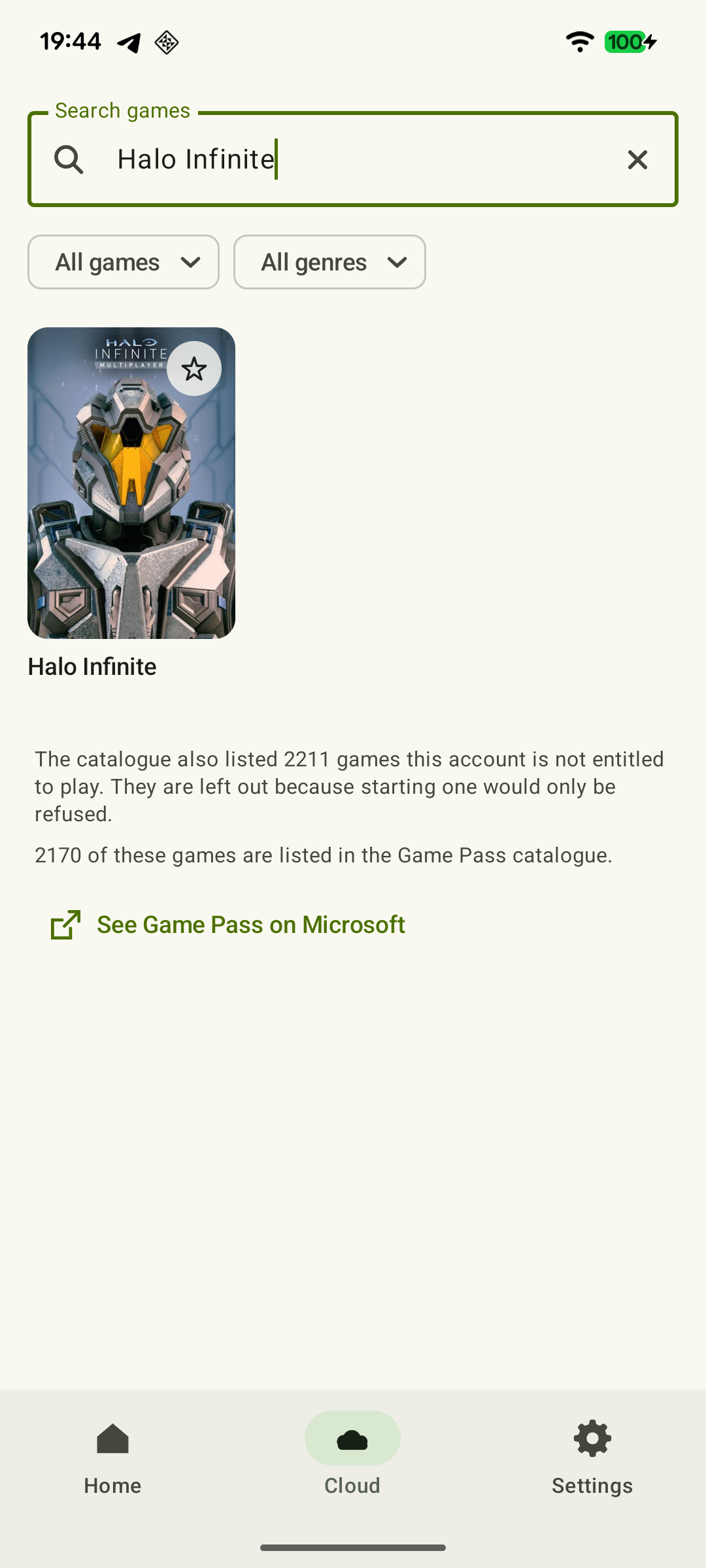 Enlarge screenshot
Choose the campaign for a story with world exploration. Its online co-op supports up to four players in total. Before inviting friends, make sure everyone has access to the campaign itself. For PvP, try a regular unranked match after the drills: human opponents change direction and set the pace differently from training targets.
On your phone, check whether you can strafe, track a target and fire at the same time without covering the opponent with your fingers. If your aim keeps trailing the target or the camera swings past it, adjust sensitivity in small steps and repeat the same drill. Launch details are in the Halo Infinite on Android guide.
Gears 5: a shared story and cover-based combat
Choose the Gears 5 campaign if you want to play through a story as a pair or a group of three and prefer a third-person view. Horde and Escape offer co-op combat without playing the entire story. Versus pits you against other players, so trying a quiet campaign section does not yet show how comfortable that mode will feel.
If you have played Gears 5 before, return to a familiar fight; if you are new, play the introduction and first available campaign encounter at a suitable difficulty. Move into cover, step out to fire and move to the next position several times. Then add reloading and weapon switching. Cover helps you decide your next move, but it does not protect against every attack or replace pausing. If you mix up commands, learn them in a solo section first.
Choose online co-op to play together over the internet. Connecting a phone to an Xbox does not by itself add another player to the game. Ways to join and account preparation are covered in the co-op games guide.
DOOM Eternal: a solo campaign with fast combinations
Choose DOOM Eternal if you enjoy staying in motion and switching between weapons and ways to replenish resources. The whole sequence matters: spot a threat, dash, choose a weapon and keep firing. A familiar arena makes control checks easier; newcomers should begin with the opening sections at a comfortable difficulty.
The campaign is single-player. BATTLEMODE is a separate PvP mode in which one player controls the Doom Slayer and two others play demons. For a co-op story campaign, choose Gears 5 or Halo Infinite from this selection.
With a touch layout, try jumping and dashing while moving and turning the camera. If every extra command forces you to release a stick you still need, reposition the buttons or try a controller. A successful individual button press does not establish that the whole sequence will work in combat.
Warzone: battle royale and the Xbox One restriction
Warzone suits PvP built around dropping in, finding equipment and moving across a large map. Battle Royale and Resurgence offer different forms of online combat; before matchmaking, check the rules and squad size in the current playlist. Playing with friends in one squad still means competing against other players. Choose another game for story co-op.
Warzone is being phased out on Xbox One, so this is not a good choice for a new installation. The current status, terms for games already in a library and ways to continue on another device are covered in the Warzone on Android guide.
For a new installation on your own Xbox, use Series X|S. Check cloud access separately through the game listing and your account's terms. Warzone's official Xbox listing includes cloud support, but the game being free does not remove cloud-service requirements. Launch steps and version differences are explained in the Warzone on Android guide.
What to check before playing together
- Target visibility. Look at a distant opponent, your ammo count and interaction prompts. If the interface is hard to read even with the camera still, try a larger screen.
- Combined inputs. Try moving, turning the camera, firing and performing an extra action in the same encounter. If your fingers get in each other's way, change the layout; if the picture or sound freezes, move on to latency and stream troubleshooting.
- Communication and access for everyone. Before co-op, check invitations and each player's access to the chosen mode. Online modes in paid console games require console multiplayer access. If you use an Xbox party through Remote Play, enable your microphone with the Party Chat instructions; in-game chat and Discord are configured separately.
- Finishing the session. For an online match, allow enough time to finish it. Do not expect the Xbox menu, minimizing XBPlayer or disconnecting the stream to pause an online fight. In a campaign, wait for the game to save and quit using the game's intended method.
Sources and further reading
- Halo Infinite | Xbox — Free multiplayer, a separate campaign and Xbox One/Series X|S versions.
- Halo Infinite Academy | Halo Support — Weapon Drills, difficulty tiers, stars and high scores; the difference between finite drills, Endless and Training Mode.
- Halo Infinite Campaign | Halo Waypoint — Online campaign co-op for up to four players in total.
- Gears 5 | Gears of War — Three-player campaign, Horde, Escape, Versus and Xbox generations.
- DOOM Eternal single-player Campaign | Bethesda — Single-player campaign, fast movement, weapons and resource management.
- DOOM Eternal — BATTLEMODE & HORDE MODE Primer | id Software — BATTLEMODE is PvP: one Slayer against two player-controlled demons.
- DOOM Eternal Next-Gen Features FAQ | Bethesda — DOOM Eternal versions for Xbox One and Xbox Series X|S.
- Call of Duty: Warzone Platform Update | Activision Support — Stages of the Xbox One support phaseout in 2026: download restrictions, store closure and the end of play when Modern Warfare 4 Season 1 begins. Separate terms apply to existing libraries.
- Call of Duty: Warzone | Xbox — Free-to-play, Battle Royale, Resurgence, Series X|S and cloud support.
- Xbox Remote Play — Streaming installed games from your own Xbox One or Series X|S with remote features enabled.
- Xbox Cloud Gaming — Xbox Cloud Gaming: supported games, regions, devices and access requirements.
- XBPlayer: Features and Platforms — XBPlayer: Remote Play, Xbox Cloud Gaming, controller support and customizable on-screen controls.
Get the key points
Open a summary request with this article’s link. For Gemini, the request is copied — paste it into the chat.