
Start playing
Which Game Pass do you need for phone gaming and Xbox Cloud Gaming?
Ultimate is not required for every phone gaming scenario. Choose Remote Play or the cloud first, then check the game, account rights and Microsoft plan terms.
On this page
Playing Xbox on a phone does not always require Game Pass, and Ultimate is not the only cloud plan. If your phone connects to your Xbox through Remote Play, the rights to the game on the console matter. If Microsoft's cloud runs the game, it needs cloud support and your account must meet the applicable conditions. Some free-to-play games, such as Fortnite, are available in the cloud without a subscription.
Checked on October 24, 2026. Microsoft has announced changes to cloud playtime from November 2026. Current access and future monthly hours are separated below: the November plan's figures should not be treated as a general limit already in effect on this article's date.
Identify where the game runs first
| How you play | Do you need your own Xbox? | What provides the right to play? |
|---|---|---|
| Remote Play on a phone | Yes: Xbox One or Series X|S | A game purchase, disc or eligible subscription, and access rules on your console |
| Xbox Cloud Gaming | No | A cloud-supported game and account rights under a Microsoft plan or separate offer |
| The ordinary mobile version of a game | No | The mobile game's terms in its store; Game Pass does not replace them by itself |
Having the Xbox app on your phone does not mean any purchase runs directly inside it. Official Remote Play uses xbox.com/remoteplay; cloud play uses xbox.com/play. These are separate client modes in XBPlayer; the Remote Play and Cloud Gaming comparison will help you choose.
Which plan works for cloud play?
| Microsoft plan | How to choose now | Monthly hours announced from November 2026 |
|---|---|---|
| Game Pass Essential | Check whether the game you want is included or a selected game you own is available; this cloud plan has a narrower set of features | 5 hours |
| Game Pass Premium | Check the game in this specific plan's catalog and any additional access conditions | 10 hours |
| Game Pass Ultimate | Check its broader selection of games and features if you need them for your scenario | 15 hours |
| PC Game Pass | The PC catalog alone does not provide Xbox Cloud Gaming | Do not use it as a cloud plan |
Catalogs and features differ, so choose based on the specific game, rather than just the plan name or number of hours. Open Microsoft's Game Pass comparison and the game's page in the cloud catalog. Make sure you are viewing the offer for your region and account: prices, availability and promotions can differ.
If the game is in Premium and its features meet your needs, the word “phone” does not make Ultimate mandatory. If the game is entirely absent from the selected cloud catalog, a more expensive client will not add it either.
What changes from November 2026?
Microsoft's September 3, 2026 announcement lists 5, 10 and 15 monthly hours for Essential, Premium and Ultimate respectively, with the option to buy additional cloud playtime. Until this change takes effect, subscribers play without these general monthly limits. The announcement specifies November without an exact day; check your Microsoft account for the current date and terms.
Since October 21, eligible Xbox Insiders have been testing the purchase of cloud playtime without an active Game Pass subscription. This is limited early access, not a general rule for every account as of October 24. A wider rollout is announced for November; the ad-supported option in the same announcement is also part of testing.
Check the Microsoft service for the offer available to you, your balance and how to buy. Do not assume that every third-party client automatically supports all preview operations: start testing such access in the official Xbox interface.
Can you play a purchased Xbox game without Game Pass?
Through your own Xbox—in many cases, yes. Remote Play itself does not require Game Pass. If you have the right to launch a purchased game on the console, you can stream it to your phone. However, a particular online mode may require a subscription, while a Game Pass catalog game depends on active access and remaining in the catalog.
Through the cloud—a purchase alone is not enough. Microsoft supports cloud play for selected games you own. Check the specific Xbox edition under Stream your own game and the current cloud access terms. A disc copy, a PC-version purchase or family access on a home Xbox should not automatically be treated as another account's personal cloud entitlement. For a step-by-step check, see a purchased game asks for payment or will not launch.
Free-game exceptions do not extend to every free-to-play title. Even if a game is free on console or PC, its cloud page may have separate conditions. Check the launch button under the account you intend to play with.
Microsoft hours and XBPlayer minutes are separate balances
| Balance or allowance | Where to check | What payment covers |
|---|---|---|
| Microsoft cloud access and playtime | Xbox/Game Pass and the selected account's cloud interface | The terms of the specific Microsoft offer |
| XBPlayer's free balance on Android | Inside the XBPlayer app | XBPlayer's paid option removes client ads and its balance requirement |
| Mobile data | Your mobile carrier | The carrier's data package or plan |
Replenishing XBPlayer by watching an ad does not add Microsoft hours. Game Pass does not remove a third-party app's ads or balance. If the client allows a new session, that does not yet mean the account has the right to play the selected cloud game. For details of the client's free mode, see XBPlayer minutes and Pro.
Five checks before paying
- Find the exact game and edition in the official cloud catalog, or check that it launches on your own Xbox.
- Check the Microsoft account: cloud rights are checked for the selected user.
- Open the plan that offers this game and check its regional terms.
- Read the duration, automatic renewal and cloud playtime rules in effect on the purchase date.
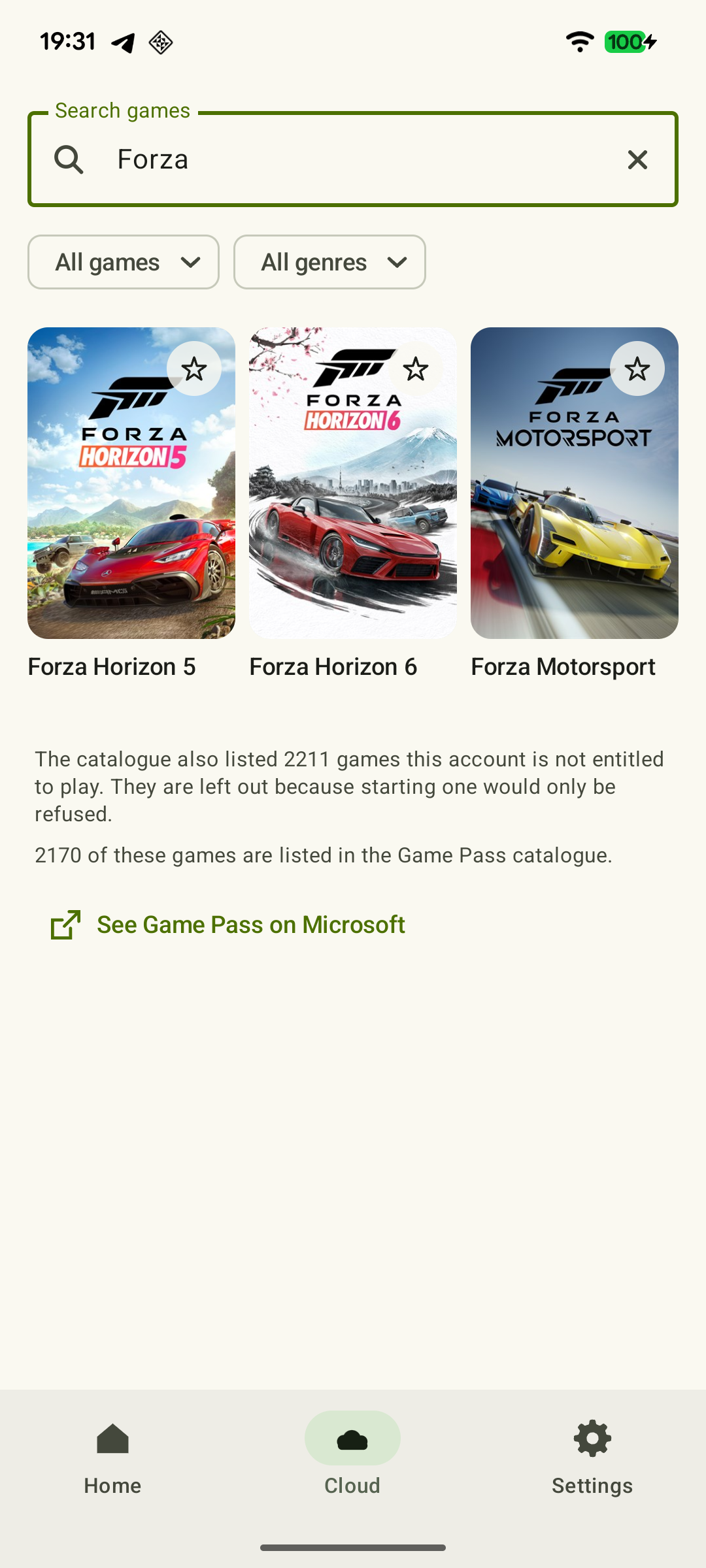
- Choose how to play: XBPlayer on Android, on iPhone/iPad or the official browser. Before a long session, test controls and loading the saved progress you expect.
If the official service does not offer the access you need in your region or account, buying another app does not confirm availability. Resolve Microsoft's access conditions first, then choose a client that works well for you.
 Enlarge screenshot
Which access should you check first?
Choose your scenario, then check the specific game.
I play from my own Xbox
Remote Play itself does not require Game Pass; check the game and remote features.
How to prepare Xbox for Remote Play: remote features and Sleep →I have no console and want a catalog game
Check the Microsoft plan and start a cloud launch.
How to start Xbox Cloud Gaming on Android with XBPlayer →I already bought the game, but cloud play is unavailable
Check the exact edition, Stream your own game and account rights.
An Xbox game you own asks you to buy it again: account, license and cloud →App minutes are being used
This is XBPlayer's separate balance, not Game Pass hours.
XBPlayer free mode and Pro: minutes, purchases and restoring access →Sources and further reading
- Xbox Game Pass — Microsoft plans — Essential, Premium and Ultimate support cloud use; the PC-only plan differs. Catalogs, regional terms and automatic renewal.
- Xbox Cloud Gaming — Microsoft — Cloud catalog, supported devices, certain free games and selected purchased games. A separate announcement establishes the dates of monthly limits.
- Xbox Remote Play — Microsoft — Xbox One/Series, remote features and separate requirements for games and online modes. The official web route's system requirements are not XBPlayer requirements.
- Xbox mobile app — Microsoft — Mobile Xbox app: purchases, downloads to a console and communication. Official Remote Play and cloud launch addresses; Safari and a shortcut on iOS.
- Upcoming Changes to Xbox Cloud Gaming — September 3, 2026 — Monthly allowances of 5/10/15 hours were announced for November 2026; those monthly limits do not apply before the change. No exact day or universal price was announced.
- Cloud Playtime for Xbox Insiders — October 21, 2026 — Buying hours without active Game Pass is a limited Insider preview; broader availability was announced for November.
- XBPlayer: Remote Play & Cloud — Google Play — Hetko app; Remote Play/Cloud, cloud game search, Android minutes and Pro. Check the type and price of a specific purchase offer in that offer.
Get the key points
Open a summary request with this article’s link. For Gemini, the request is copied — paste it into the chat.