
Genres
Xbox Strategy Games on Android: What to Play with a Controller
Lead armies and use abilities in Halo Wars 2, develop a settlement in Age of Empires II or build a city in Cities: Skylines. Try the interface on Android before a long session.
On this page
For commanding an army, start with Halo Wars 2; for combining an economy with battles, Age of Empires II: Definitive Edition; and for building a city, Cities: Skylines. All three have Xbox versions with controller support. Streaming to Android brings their console interfaces with them, so before a long session, check not just the buttons but also how clearly you can read resources, commands and the map.
Which strategy game suits your style?
| Game | Main task | Where to start | What to check on screen |
|---|---|---|---|
| Age of Empires II: Definitive Edition | Develop a settlement while commanding an army | The single-player William Wallace campaign | Resources, the minimap and switching from villagers to troops |
| Halo Wars 2 | Combine unit types, a base economy and leader powers | Tutorials, then the campaign | The selected group's composition and ability descriptions |
| Cities: Skylines | Plan roads, zoning and city services | A small new city in your edition | The budget, info views and building placement |
Prepare the console version and a controller
Remote Play requires an Xbox One or Xbox Series X|S with remote features enabled, an installed game and the right to launch it. Open the game on the console itself first. If it will not launch there, fix the installation or access problem before checking the stream. Connect a compatible controller to Android by Bluetooth or USB, open XBPlayer and start a session with your Xbox.
If you use Xbox Cloud Gaming, check the exact edition and access to it in your account's catalog separately. A game being available on Xbox does not by itself promise cloud or subscription access.
For Cities: Skylines, distinguish Xbox One Edition from Cities: Skylines — Remastered for Series X|S. Xbox One Edition also runs on Series X|S, but that does not turn it into Remastered. To continue a city, open the edition you played before; if the save is missing, check the game title and profile first.
Age of Empires II: learn to move between the army and economy
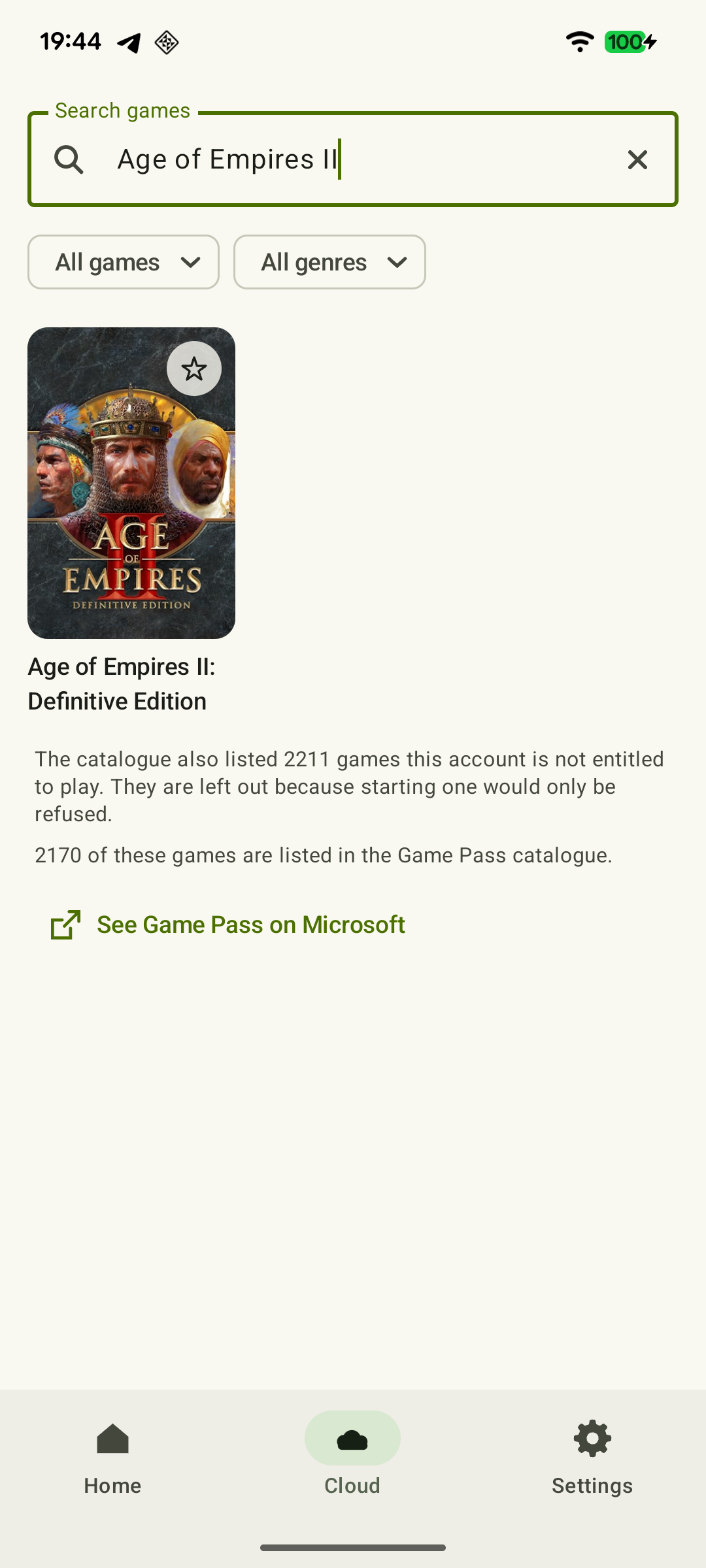
Villagers gather resources and construct buildings, while troops defend the settlement and attack opponents. The console version has a controller interface, radial menus and villager automation. These help with managing the economy, but development and combat decisions remain yours.
 Enlarge screenshot
In single-player, open Campaigns and choose William Wallace, as recommended by the official Xbox guide. In the default layout, holding RT opens the selected object's command menu, while the D-pad helps you quickly select what you need. Down, for example, returns you to the Town Center. If you have changed the layout, follow your game's prompts.
Try a sequence of actions: select a villager, assign them to gather a resource, move a military group and return to the Town Center. A good result is knowing what is selected, understanding the order and finding your base without a lengthy search. Next, see the detailed Age of Empires II through Xbox guide.
Real-time play does not mean you cannot take a breather. In single-player, the pause menu stops the action; in multiplayer, opening that menu does not stop the match. Start with a single-player campaign and use the game's pause when you need to read an explanation.
Halo Wars 2: from selecting units to using leader powers
Halo Wars 2 suits players more interested in commanding combat units than developing a medieval settlement. It still has an economy: in the campaign, multiplayer and Skirmish, you need to manage supplies and power, build a base and use leader powers.
Start with Tutorials, then move to the campaign—the order recommended by the official guide. Select a small group, issue a move command, choose an attack target and read an available ability's description. Check whether you can distinguish your selected units from those nearby.
In the default layout, double-tapping RB selects all your units, while LT opens the leader-power radial menu. Learn these commands separately: selecting the whole army and selecting a particular squad are different tasks. Do not carry Age of Empires II button combinations over to this game.
Blitz is a separate mode that uses cards to deploy units. It does not replace checking base construction and the economy in a regular game. Start with Tutorials and the campaign to assess the controls; the presence of a pause menu alone does not establish that it stops a chosen online mode.
Cities: Skylines: build a neighborhood and get services running
The console version of Cities: Skylines has controls adapted for a controller. The main demands are selecting tools, placing objects and reading figures. The lack of combat aiming does not make small labels any less important.
Start with one neighborhood: lay a road, zone land and provide electricity. Then open the electricity info view and budget: check whether the area is getting the service it needs and whether there is enough money to develop it. Try explaining, from the screen, which object is selected and what it needs. Then zoom out: if one building is clear but the whole neighborhood becomes hard to read, that is a limitation of the screen you chose.
Xbox One Edition supports pausing. Find the in-game command in the control prompts and confirm that the simulation has stopped before spending time studying the figures. Do not use the streaming client's panel as a substitute for the game's pause.
Remastered has its own improvements: 25 buildable tiles, a quick-selection tool and more precise object placement. Those improvements belong to Remastered. For Xbox One Edition, work within that edition's features; Steam Workshop mod instructions apply to PC.
Small labels and awkward commands need different fixes
If button presses work but numbers are hard to read, moving buttons will not help. Check the interface and text options in the Xbox version you are actually running. If it offers a suitable scale setting, change it and reopen the same panel. Do not expect to find every setting from a PC guide on the console.
Zooming the camera enlarges objects in the world, but not necessarily menu labels. A sharper stream does not make text physically larger either. If the figures you need remain too small, repeat the same section on an available larger screen. See the separate small-screen text and interface check.
If on-screen buttons get in the way, move them away from the minimap and resources. With a physical controller, check the D-pad, bumpers, triggers and menu button separately: strategy games need them as much as the sticks. Finish your trial with a complete sequence: select an object → issue an order → see the result → return to your base or neighborhood. If you prefer decisions without constantly keeping up with events, also compare turn-based Xbox games for Android.
Sources and further reading
- Getting Started with Age of Empires II: DE — Xbox — Official console instructions: learning through the William Wallace campaign.
- Controlling Your Empire & Gathering Resources — Xbox — RT radial menu, D-pad shortcuts and different pause behavior in single-player and multiplayer.
- Age of Empires II: Definitive Edition on Console — Xbox Wire — Interface adaptation and villager automation for controller play.
- Halo Wars 2 — Official Xbox Manual — The accessible page contains English text: Tutorials, Campaign, Skirmish, the economy, leader powers and controller commands.
- Cities: Skylines Now Available for Xbox One — Paradox Interactive — Confirms a separate Xbox One Edition with controls adapted for a controller.
- Cities: Skylines — Remastered — Paradox Interactive — The Xbox Series X|S edition: 25 tiles, quick selection and placement improvements.
- Cities: Skylines — Xbox One Edition — Xbox Store — Supported Xbox One and Series X|S consoles; city services and the economy.
- Cities: Skylines — Xbox One Edition: Accessibility Features — Xbox — Danish Xbox listing: Kan sættes på pause — can be paused.
- Xbox Remote Play — Streaming installed games from your own Xbox One or Series X|S with remote features enabled.
- XBPlayer — Remote Play and Xbox Cloud Gaming — XBPlayer: Remote Play, Xbox Cloud Gaming, controller support and customizable on-screen controls.
Get the key points
Open a summary request with this article’s link. For Gemini, the request is copied — paste it into the chat.